Your life in one place, with help that gets it done
Tasks, calendar, notes and lists live together in Karyojan. Ask its assistant anything about them, and it plans, compares, reminds and writes for you.
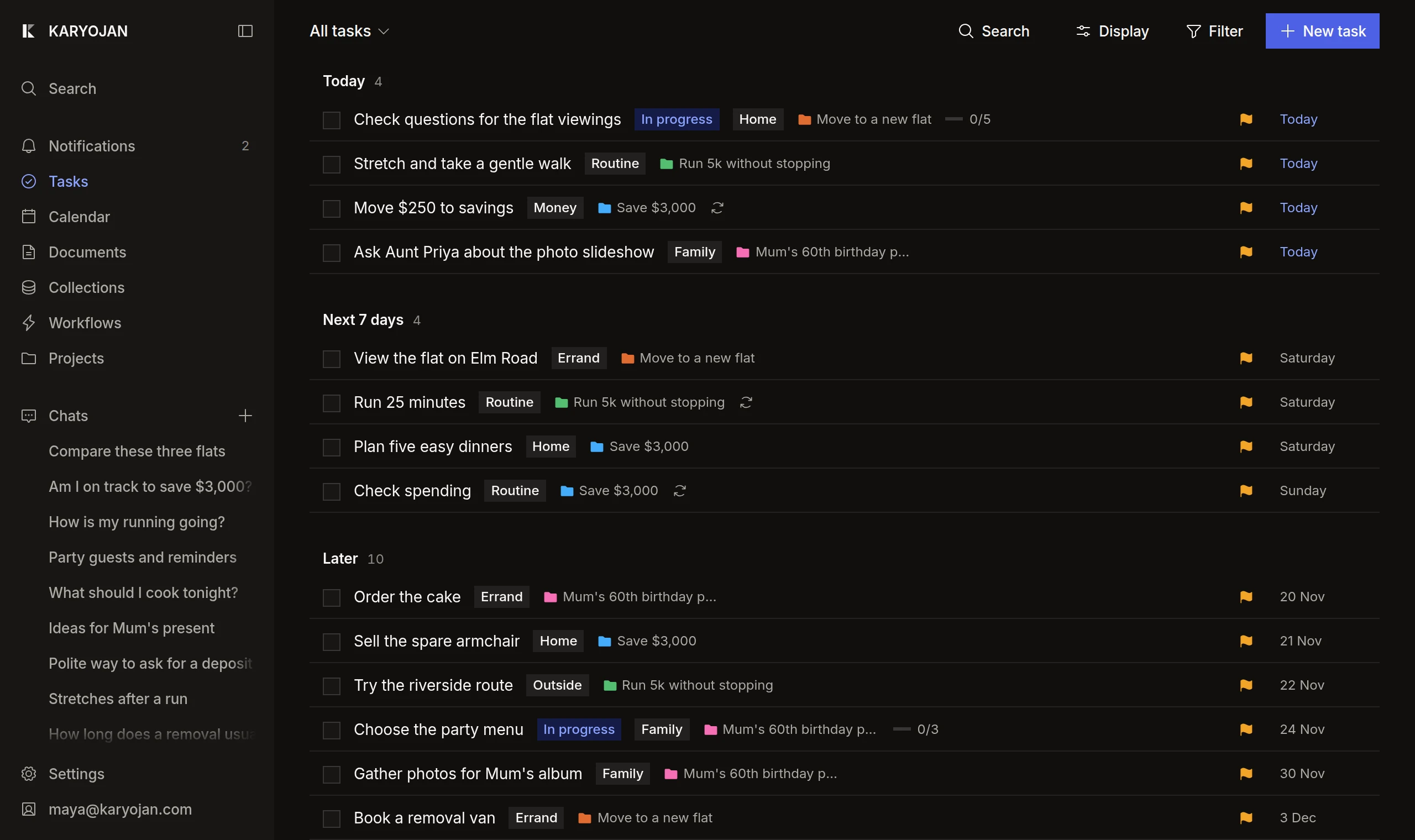
Plan it, note it, track it, automate it
Tasks
Due dates, priorities and repeats, grouped into projects.
This week4
- Questions for the viewingsMove to a new flatToday
- Move $250 to savingsSave $3,000Today
- Order the cakeMum’s 60thFriday
- Run 25 minutesRun 5kSaturday
Collections
Lists you shape yourself, for flats, recipes or books.
Flat Rent To work Status 12 Elm Road $1,450 8 min Shortlist 4 Mill Lane $1,320 15 min Viewing Park House, 3B $1,600 5 min Too dear 22 Kings Way $1,380 22 min Too far Documents
Notes with checklists, callouts, tables and columns.
Questions for the viewings
Ask to see the boiler and the meter readings.
- Is the deposit five or six weeks?
- Which bills are included?
- Can we move in before the 1st?
Workflows
Jobs that run on their own, on the schedule you pick.
Weekly spending checkMondays, 8:00Finished today at 8:01, in 40 seconds.
- Read 23 card payments from last week
- Compared them with the $3,000 plan
- Added a task: Move $250 to savings
Free to start. Pro for more.
Free
$0a month
For light everyday use.
- Every feature
- Light assistant use
- 3 web lookups a day
- 100 MB of storage
- Files up to 10 MB
Pro
$10a month
For using the assistant every day.
- Everything in Free
- 12× more assistant use
- 100 web lookups a day
- 2 GB of storage
- Files up to 50 MB
Questions
Is Karyojan free?
Yes. Every feature is in the Free plan. Pro gives the assistant more room, a bank connection and more storage, for $10 a month.
What counts as assistant use?
Each reply uses a little of a monthly allowance, more when it does more work. Free covers light everyday use. Pro gives you 12 times as much.
Can I cancel Pro?
Yes, at any time, from Settings. Your tasks, notes and lists stay yours on the Free plan.
Do I have to connect Google?
No. Karyojan works on its own. Connect Gmail, Calendar or Drive only if you want the assistant to work with them, and disconnect whenever you like.
Is my data used to train AI?
No. We don’t sell your data, use it for advertising, or use it to train AI models.
Does it work on my phone?
Yes. Open Karyojan in your phone’s browser and you’ll find the same tasks, notes and chats as on your computer.